
Download NiceIQ Scientific Brain Training – Cognitive Boost, Free Trials, Cross‑Platform Brain Games
Overview
NiceIQ Scientific Brain Training is a modern, research‑backed cognitive‑enhancement app that works seamlessly across macOS, iPadOS and iOS. Developed in collaboration with cognitive scientists, NiceIQ moves beyond the generic “brain‑game” clutter by offering a modular approach: users can select exactly the mental faculties they wish to sharpen—whether it’s logical reasoning, short‑term memory, visual processing, or attention control. The platform is built around a cloud‑synced architecture, meaning a single download instantly unlocks your personalized training regimen on every Apple device you own.
If you’re waiting for a meeting on your MacBook, you can squeeze in a 5‑minute logic puzzle; on the train home, the same session picks up on your iPhone without any manual reset. The app’s sleek UI respects the limited screen real estate of an iPhone while still delivering rich, animated exercises on a Mac or iPad. Each of the 22+ exercises is grounded in peer‑reviewed research, and the app provides real‑time performance analytics, allowing you to track progress, set goals, and receive adaptive difficulty adjustments.
For busy professionals, students, or anyone looking to make idle moments more productive, NiceIQ offers a scientifically valid alternative to scrolling feeds or playing low‑effort arcade games. The free tier grants access to a core set of exercises, while the premium subscription unlocks the full library, detailed reports, and custom training plans. Security‑focused users will appreciate that all data is encrypted in transit and stored on Apple’s secure iCloud infrastructure, ensuring privacy while delivering a smooth, cross‑device experience.
Key Features of NiceIQ Scientific Brain Training
- Scientifically validated exercises: Over 22 brain games designed with input from cognitive psychologists and neuroscientists.
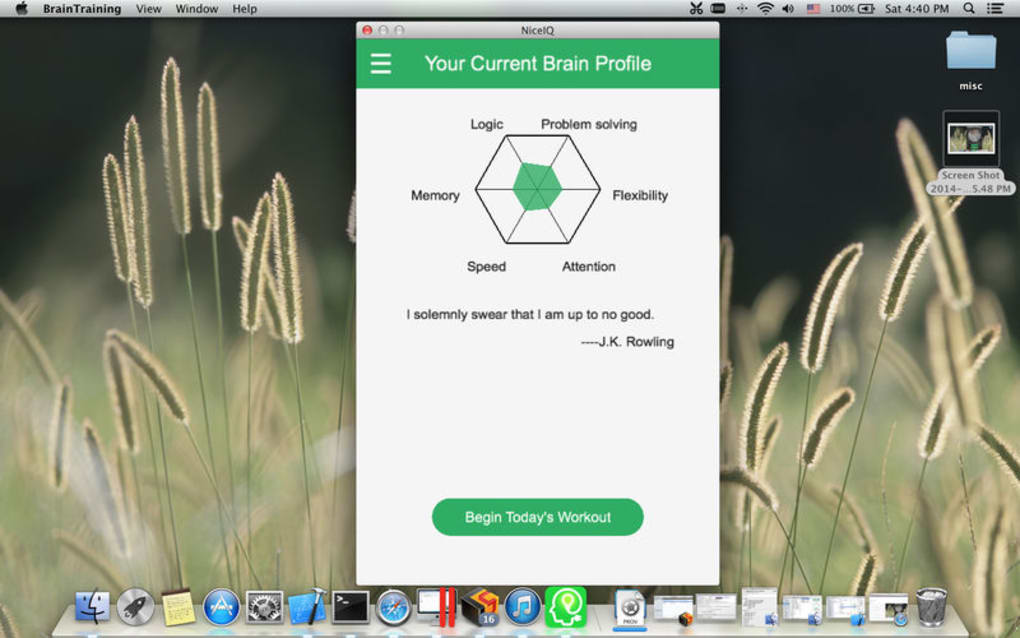
- Customizable training paths: Choose specific domains—logic, memory, attention, processing speed—and let the app focus exclusively on those areas.
- Cross‑device sync: One download, multiple devices. Progress is saved instantly to iCloud and continues seamlessly on Mac, iPad, or iPhone.
- Adaptive difficulty engine: The app monitors your performance and automatically adjusts challenge levels to keep you in the optimal “learning zone.”
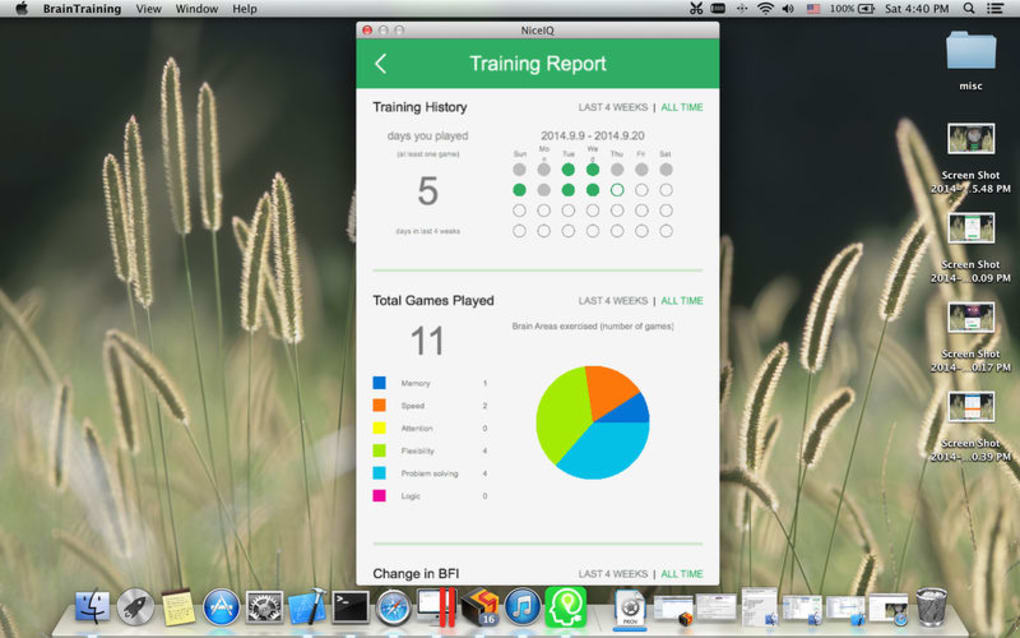
- Detailed analytics dashboard: Visual graphs, weekly summaries, and long‑term trends help you see real improvements over days, weeks, and months.
- Offline mode: All exercises are stored locally, so you can train without an internet connection; results sync later.
- Secure data handling: End‑to‑end encryption and Apple’s privacy standards protect your personal performance data.
- Gamified motivation: Earn badges, streak rewards, and personalized feedback to stay engaged.
- Free starter pack: Access a curated selection of exercises without payment, allowing you to test the concept before committing.
- Premium subscription benefits: Full exercise library, deep-dive reports, custom session lengths, and priority support.
Installation & First‑Time Usage Guide
Getting started with NiceIQ Scientific Brain Training is straightforward, whether you’re on a Mac, iPad, or iPhone. Follow these steps for a smooth installation and optimal first session:
- Download the app: Visit the Mac App Store or the iOS App Store, search for “NiceIQ Scientific Brain Training,” and click Get. The download size is under 150 MB, making it quick even on slower connections.
- Create an Apple ID (or use an existing one): The app relies on iCloud for syncing, so a valid Apple ID is required. Sign in during the initial launch prompt.
- Grant permissions: Allow NiceIQ access to notifications (to remind you of daily sessions) and to iCloud Drive (for data sync). These permissions can be adjusted later in System Settings → Privacy.
- Run the onboarding wizard: The first launch presents a short questionnaire asking about your cognitive goals—memory boost, logical reasoning, or overall brain health. Based on your answers, the app suggests a starter training plan.
- Choose a training focus: You can select one or multiple domains. For beginners, the “Balanced Starter” mode cycles through a variety of exercises, each lasting 2–5 minutes.
- Set a daily reminder: Use the built‑in scheduler to receive a push notification at a convenient time (e.g., during a coffee break). Consistency is key for measurable improvement.
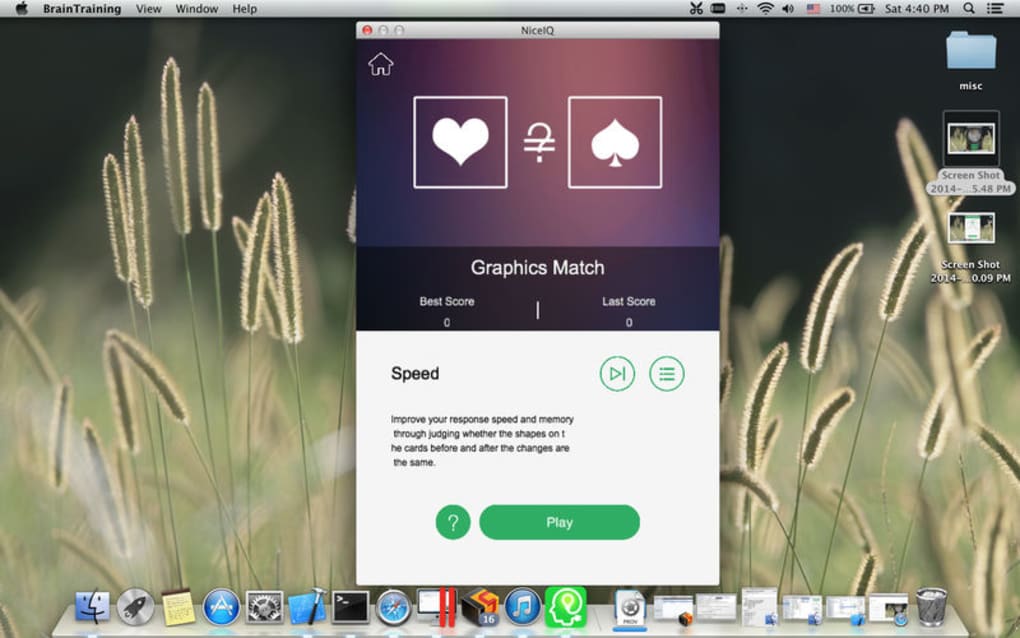
- Begin your first session: Tap the highlighted exercise, follow the on‑screen instructions, and complete the short task. The app records accuracy, response time, and provides instant feedback.
- Review performance metrics: After each session, a pop‑up summary shows your score and how it compares to previous attempts. Over time, the analytics dashboard aggregates these results into trend lines.
- Sync across devices: Open NiceIQ on a second device; you’ll see the same session history and can continue where you left off. The sync occurs automatically within seconds, thanks to iCloud.
- Upgrade if desired: When you feel ready for more challenge, navigate to Settings → Subscription and select the Premium plan. The upgrade unlocks the full suite of 22+ exercises and deeper analytics.
Pro tip: For maximum benefit, aim for at least three 5‑minute sessions per day. The app’s adaptive algorithm will keep the difficulty appropriate, preventing boredom or frustration. If you ever need help, the built‑in Help Center offers video tutorials, a searchable knowledge base, and direct contact with support staff.
Compatibility, Pros and Cons
NiceIQ Scientific Brain Training is native to Apple’s ecosystem. It runs on macOS 11.0 (Big Sur) or later, iPadOS 14.0+, and iOS 14.0+. The app leverages Apple’s Metal graphics API for smooth animations and uses CoreML for on‑device adaptive difficulty calculations, ensuring a responsive experience even on older hardware. Because it depends on iCloud for synchronization, a stable internet connection is recommended for real‑time syncing, although offline mode fully supports training without connectivity.
Pros
- Scientifically designed exercises with real‑world cognitive benefits.
- Seamless cross‑device syncing via iCloud, eliminating manual data transfer.
- Adaptive difficulty keeps training challenging yet achievable.
- Comprehensive analytics help users visualize progress.
- Free starter version allows risk‑free evaluation.
- Secure, privacy‑first data handling aligns with Apple’s standards.
Cons
- Premium subscription required for full library; some users may find the price a barrier.
- Currently limited to Apple devices; no Android or Windows version.
- Initial onboarding questionnaire may feel lengthy for users seeking instant play.
- Sync relies on iCloud; users without sufficient storage may need to upgrade iCloud plan.
- Graphics, while smooth, are optimized for Retina displays, so older non‑Retina Macs may appear less crisp.
Frequently Asked Questions
Is NiceIQ free or does it require a subscription?
NiceIQ offers a free tier that includes a limited set of core exercises and basic progress tracking. To unlock the full suite of 22+ brain games, detailed analytics, and custom training plans, you need to subscribe to the Premium plan, which is billed annually or monthly.
Can I use NiceIQ on both my Mac and iPhone without buying separate licenses?
Yes. NiceIQ is licensed per Apple ID, not per device. Once you download the app on any Apple device and sign in with the same Apple ID, all your purchases and subscriptions sync automatically via iCloud.
How does the app protect my personal data?
All user data is encrypted in transit using TLS 1.3 and stored in iCloud with Apple’s end‑to‑end encryption. The app does not collect personal identifiers beyond what is needed for syncing and subscription management.
Do I need an internet connection to train?
No. All exercises are available offline after the initial download. Your results will be saved locally and automatically uploaded to iCloud the next time you connect to the internet.
How quickly can I expect to see cognitive improvements?
Research suggests that consistent daily training (10‑15 minutes) can produce measurable gains in targeted domains within 4‑6 weeks. NiceIQ’s analytics will show you baseline scores and track weekly improvements, helping you stay motivated.
Conclusion – Take Control of Your Mental Fitness Today
NiceIQ Scientific Brain Training stands out as a rare blend of rigorous science, elegant design, and practical convenience. By focusing on the brain regions you care about, syncing effortlessly across every Apple device, and providing clear, data‑driven feedback, it transforms idle minutes into meaningful mental workouts. Whether you’re a student looking to sharpen memory for exams, a professional seeking sharper problem‑solving skills, or simply someone who wants to keep the mind agile in later years, NiceIQ offers a flexible, secure, and enjoyable solution.
Download the free version now, explore the core exercises, and experience the adaptive challenge for yourself. If the results speak to you, upgrading to Premium unlocks the full library and deeper insights—making your brain‑training journey as comprehensive as your ambitions. Don’t let spare time slip by; give your grey matter the workout it deserves with NiceIQ.







